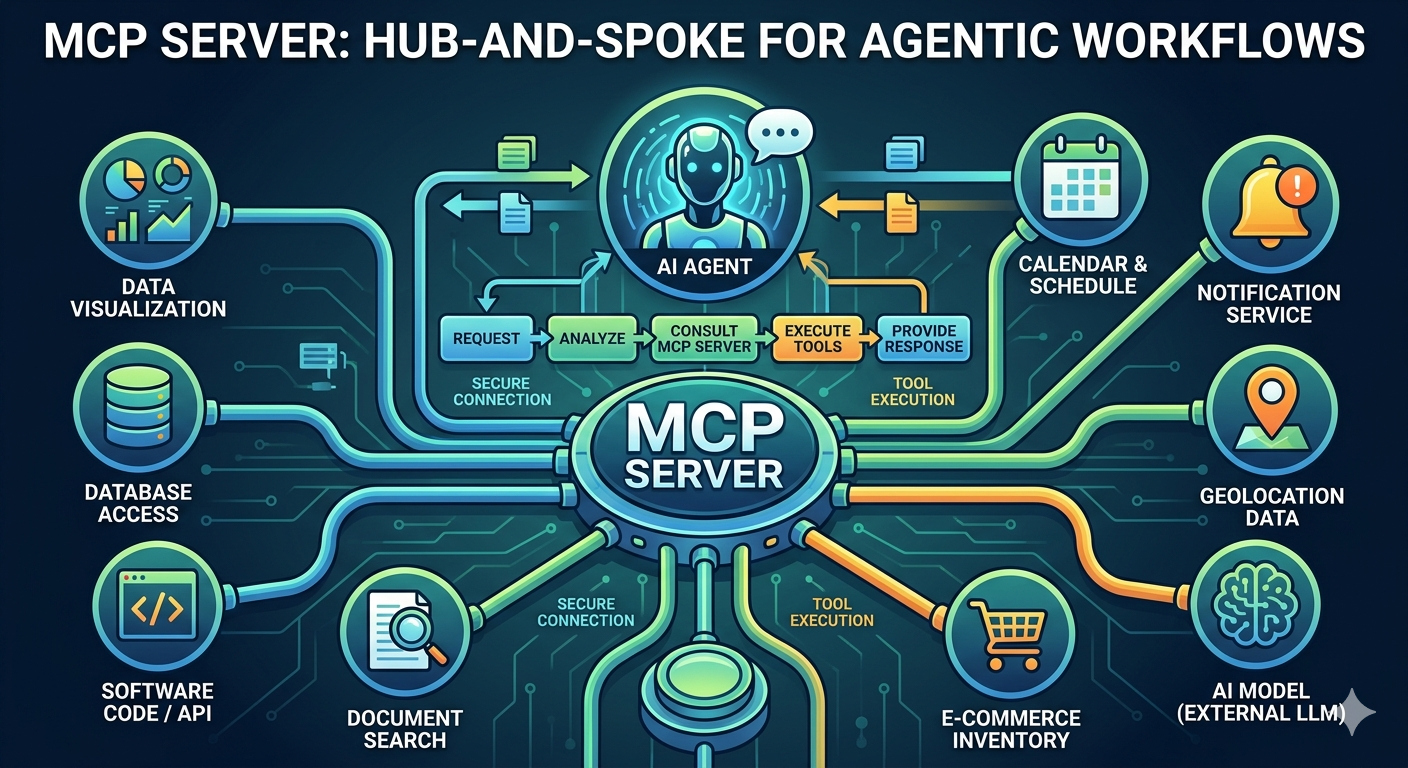
The rise of AI agents has brought us to a crossroads: how do we connect these “thinking” entities to our “doing” tools? For years, REST APIs have been the gold standard for software integration. But as we move toward Agentic Workflows, a new contender has emerged as the superior bridge: the Model Context Protocol (MCP).
The Shift from Endpoints to Intelligence
In a traditional setup, connecting an agent to a REST API requires manual “plumbing.” You have to hardcode specific endpoints, manage complex documentation, and essentially tell the agent exactly where to go.
MCP flips this script. Instead of a rigid map of endpoints, an MCP server provides a self-describing catalog. When an AI agent connects to an MCP server, it doesn’t just see data; it gets a full list of available tools, their descriptions, and the schemas required to run them. This allows the agent to dynamically discover and select the right tool for the task at hand—no manual intervention required.
The Security Advantage: A Controlled Handshake
One of the most significant wins for MCP is its security architecture. Traditional REST integrations often suffer from “over-privileged” access, where an API key might grant more power than the agent actually needs.
MCP introduces a more granular security layer:
- Role-Based Access (RBAC): You can define exactly which tools an agent is allowed to “see” and execute.
- Contextual Guardrails: Because the MCP server sits between the LLM and your data, it acts as a secure gatekeeper, ensuring sensitive information isn’t leaked into the model’s training context.
- Approval Flows: MCP supports “human-in-the-loop” triggers, requiring explicit consent before an agent performs high-risk actions.
Why It Matters
By using MCP, you aren’t just connecting a database to a chatbot; you are building an extensible ecosystem. You can swap out tools, add new capabilities, and scale your agentic workflows without rewriting your core integration logic.
If you want your agents to be more than just talk, it’s time to move beyond REST and start building with MCP.